


Arduino 迷你 Boss 战游戏:复古风格项目
组件与物料
| Arduino UNO | ×1 |
| Arduino 兼容 16x2 LCD 显示模块 (带按键) | ×1 |
应用与在线服务
- Arduino IDE
项目简介
这是一个模拟 Boss 战的游戏。通过 LCD 扩展板上的按键选择攻击方式和切换画面。对手 (恶魔) 使用随机算法攻击。
灵感来源于早期复古游戏如《宝可梦》《超级马里奥》等,旨在重现那种怀旧体验。
攻击选项
- 伊辛之刃:造成 2 点伤害
- 卡纳斯之杖:造成 1 点伤害,攻击力 +1
- 托里斯法术:造成 0 伤害,攻击力 +2
- 梅修斯药水:造成 0 伤害,生命值 +2
祝你好运,玩得开心!
代码
游戏主代码 (Arduino)
#include <LiquidCrystal.h>
LiquidCrystal lcd(8, 9, 4, 5, 6, 7);

int turn = 1;
int screen = 0;
int health = 10;
int ehealth = 10;
int attackdamage = 0;
int stats = 0;
int totaldamage = attackdamage + stats;
int eattackdamage = 0;
int estats = 0;
int etotaldamage = eattackdamage + estats;
int enemyattack = random(1, 5);
int attack = 0;

void setup() {
  totaldamage = attackdamage + stats;
  etotaldamage = eattackdamage + estats;
  lcd.begin(16, 2);
  Serial.begin(9600);
}

void loop() {
  totaldamage = attackdamage + stats;
  etotaldamage = eattackdamage + estats;
  estats = 0;
  stats = 0;
  attackdamage = 0;
  eattackdamage = 0;
  int button = analogRead(A0);

  if (health <= 0) {
    lcd.clear();
    lcd.setCursor(0, 0);
    lcd.print("You Lose");
  }
  if (ehealth <= 0) {
    lcd.clear();
    lcd.setCursor(0, 0);
    lcd.print("You Win!");
  }

  if (button >= 500 && button <= 750) {
    screen = screen + 1;
    delay(1000);
    enemyattack = random(1, 5);
    Serial.println('5');
  }

  if (screen > 4) {
    screen = 0;
    turn = turn + 1;
    enemyattack = random(1, 5);
  }

  if (screen == 0) {
    lcd.clear();
    lcd.setCursor(0, 0);
    lcd.print("Turn");
    lcd.setCursor(0, 1);
    lcd.print(turn);
  } else if (screen == 1) {
    lcd.setCursor(0, 0);
    lcd.print("You Used The");
    lcd.setCursor(0, 1);
    if (button >= 0 && button <= 50) {
      lcd.clear();
      lcd.setCursor(0, 0);
      lcd.print("You Used The");
      lcd.setCursor(0, 1);
      lcd.print("Blade Of Isin");
      attackdamage = 2;
    } else if (button >= 50 && button <= 150) {
      lcd.clear();
      lcd.setCursor(0, 0);
      lcd.print("You Used The");
      lcd.setCursor(0, 1);
      lcd.print("Staff Of Kanas");
      attackdamage = 1;
      stats = stats + 1;
      delay(1000);
    } else if (button >= 150 && button <= 300) {
      lcd.clear();
      lcd.setCursor(0, 0);
      lcd.print("You Used The");
      lcd.setCursor(0, 1);
      lcd.print("Spell Of Tories");
      attackdamage = 0;
      stats = stats + 2;
      delay(1000);
    } else if (button >= 300 && button <= 500) {
      lcd.clear();
      lcd.setCursor(0, 0);
      lcd.print("You Used The");
      lcd.setCursor(0, 1);
      lcd.print("Potion Of Meseus");
      attackdamage = 0;
      health = health + 2;
      delay(1000);
    }
  } else if (screen == 2) {
    lcd.clear();
    lcd.setCursor(0, 0);
    lcd.print("The Demon Used");
    lcd.setCursor(0, 1);
    if (enemyattack == 1) {
      lcd.print("The Bone Spear");
      eattackdamage = 2;
      delay(1000);
    } else if (enemyattack == 2) {
      lcd.print("The Cursed Blade");
      eattackdamage = 1;
      estats = estats + 1;
      delay(1000);
    } else if (enemyattack == 3) {
      lcd.print("The Cursed Spell");
      eattackdamage = 3;
      estats = estats - 2;
      delay(1000);
    } else if (enemyattack == 4) {
      lcd.print("The Skull Ritual");
      eattackdamage = 0;
      estats = estats + 2;
      delay(1000);
    }
    ehealth = ehealth - totaldamage;
    health = health - totaldamage;
  } else if (screen == 3) {
    lcd.clear();
    lcd.setCursor(0, 0);
    lcd.print("Player Health:");
    lcd.setCursor(0, 1);
    lcd.print(health);
  } else if (screen == 4) {
    lcd.clear();
    lcd.setCursor(0, 0);
    lcd.print("Enemy Health:");
    lcd.setCursor(0, 1);
    lcd.print(ehealth);
  }
  Serial.println(health);
  Serial.println(ehealth);
}
原理图
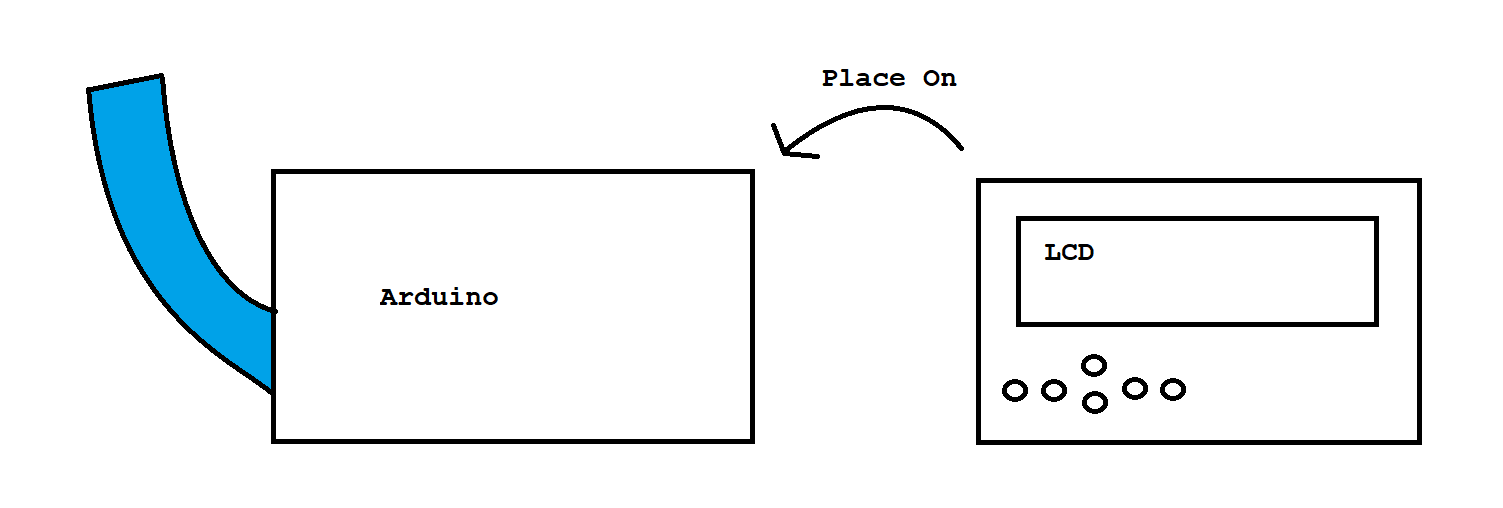
将 LCD 模块直接插在 Arduino 引脚上
制造工艺