


基于 MAX30102 脉搏血氧仪的精准心率与 SpO₂ 监测(Arduino 实现)
组件与物料清单
| 组件 | 数量 | 备注 |
|---|---|---|
| Arduino UNO | 1 | |
| Adafruit OLED 128x32 | 1 | I2C 接口 |
| 蜂鸣器 | 1 | 心跳同步提示音 |
| Maxim MAX30102 高灵敏度脉搏血氧/心率传感器 | 1 | I2C 接口,可穿戴健康监测专用 |
项目简介
简介
本教程将 MAX30102 脉搏血氧/心率模块与 Arduino UNO 对接,结合 OLED 显示屏和蜂鸣器制作心率测量装置。
BPM(每分钟心跳次数)正常人静息约 65-75,运动员可能更低。SpO₂(血氧饱和度)正常人 95% 以上。MAX30102 有不同模块封装,我用的是 WAVGAT 版,只要芯片是 MAX30102 即可。
元件清单
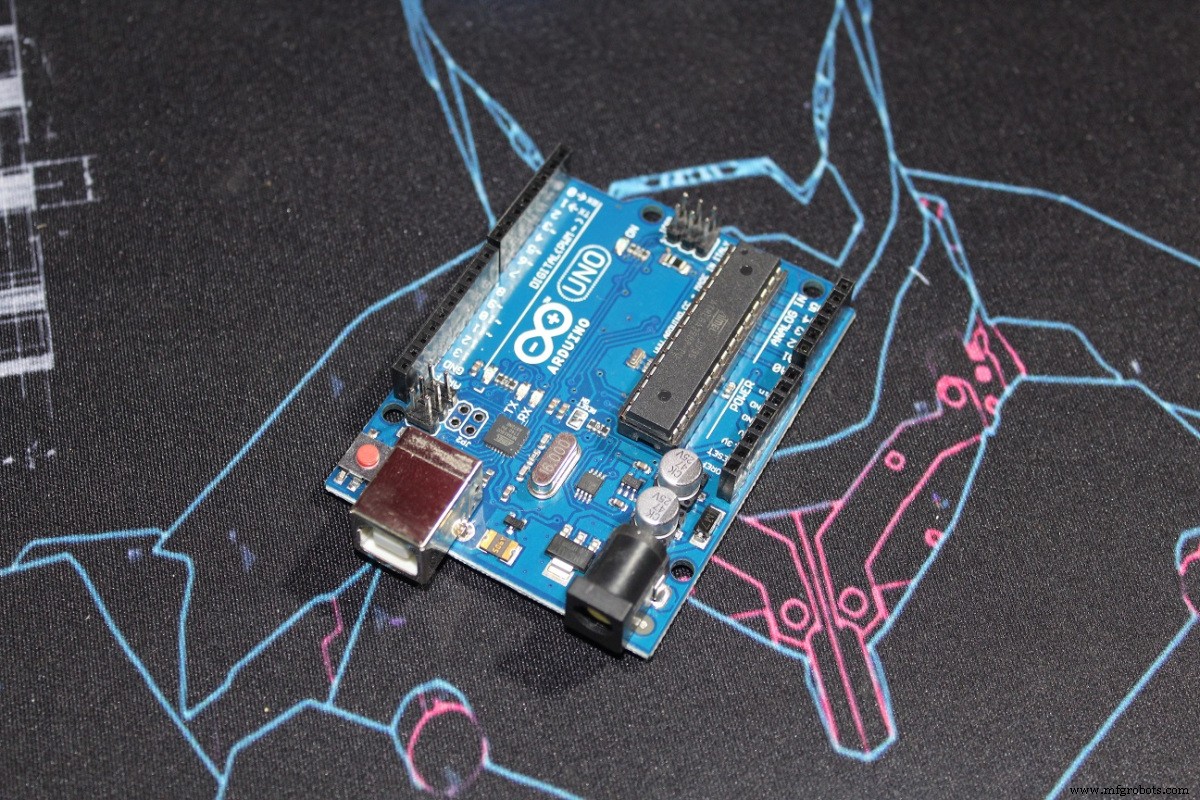
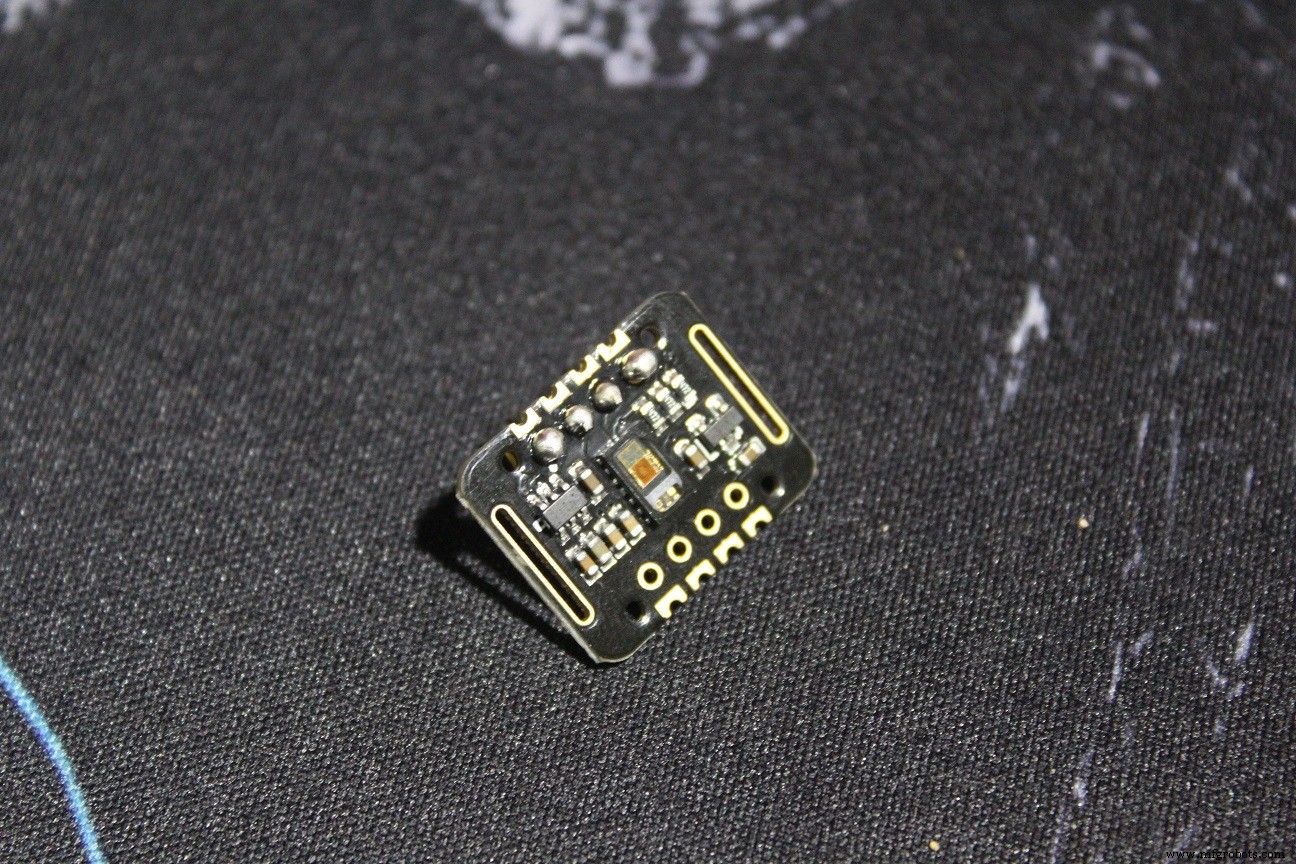
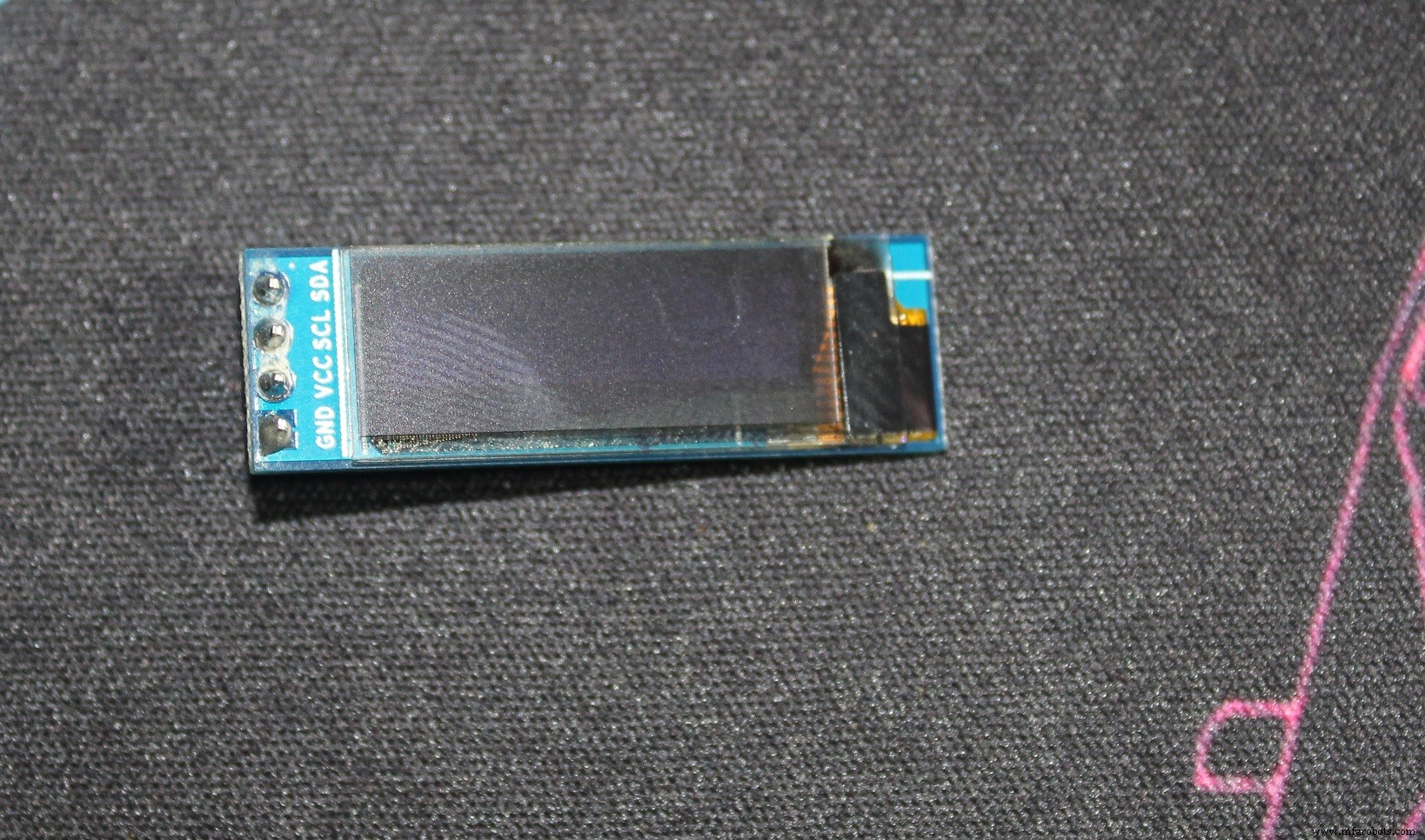
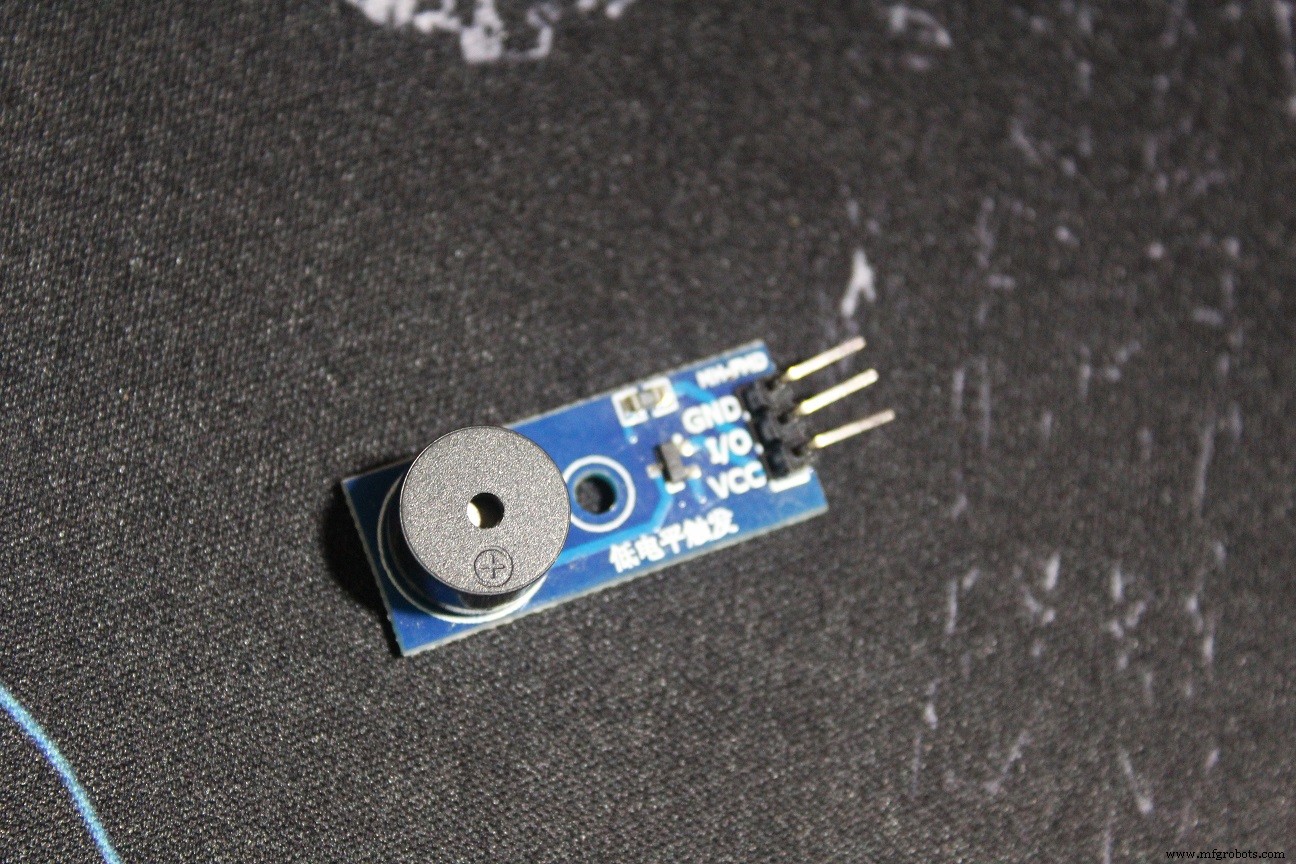
测试
教程代码基于 SparkFun_MAX3010x 库示例,清晰易懂。我为 OLED 和蜂鸣器写的代码是修改版 “HeartRate” 示例,提示将手指放上传感器。
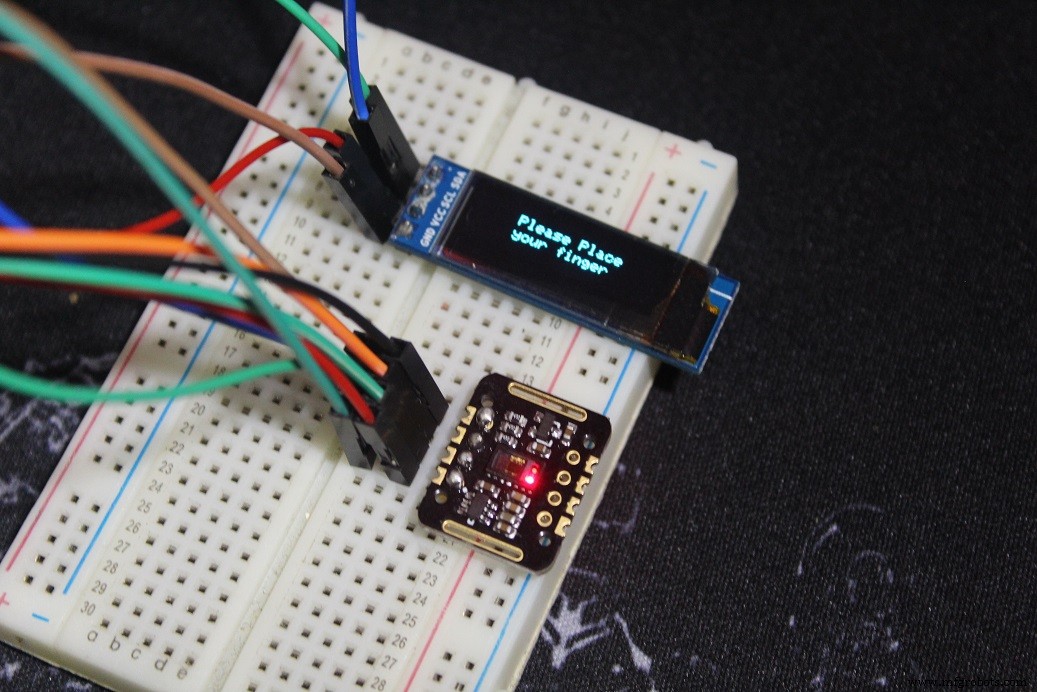
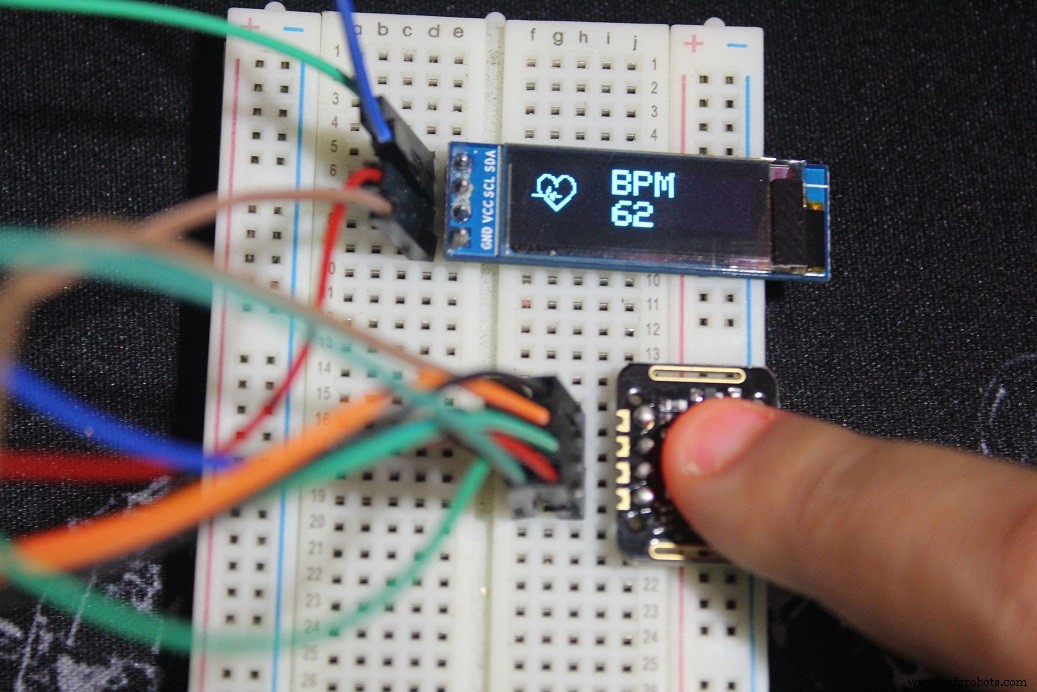
手指放上后保持冷静,直到听到蜂鸣器 “嘀嘀” 声与心跳同步,或 OLED 动画同步,即可读取正确 BPM。
注: 代码实际显示平均 BPM(4 次测量平均),更准确,需稍等片刻。
制作 OLED 位图动画
屏幕上的小心脏是位图,检测到心跳时切换到大心脏位图并伴随蜂鸣器响一声,产生心跳动画效果。
代码中用到的两个位图:
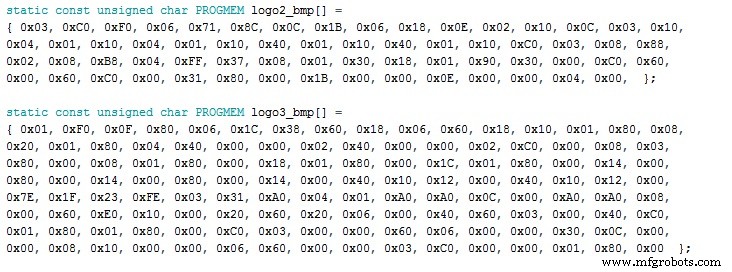
制作方法:找一张黑白图(黑前景白背景),注意尺寸。我用的 OLED 128x32 像素,位图小于该尺寸(32x32 和 24x21)。
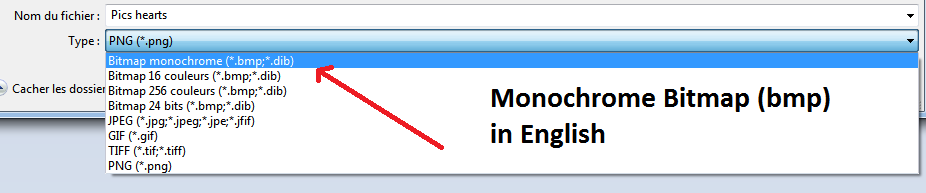
下载 LCD Assistant 并打开(步骤如下):
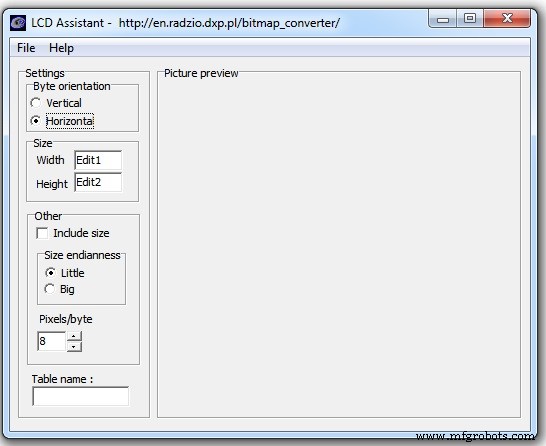
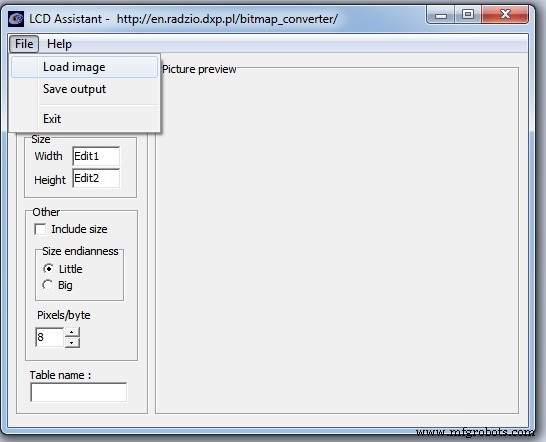
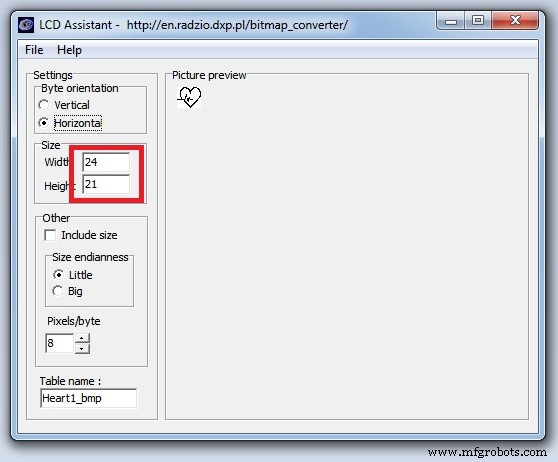
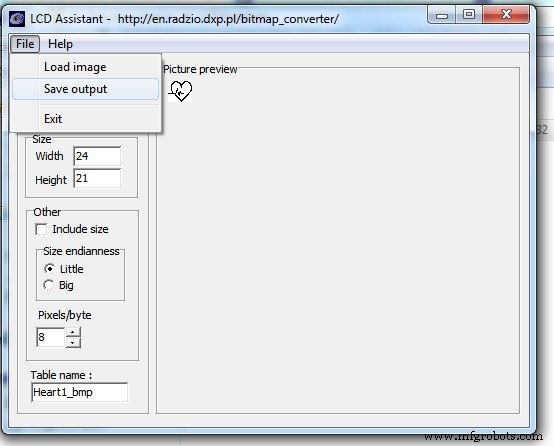
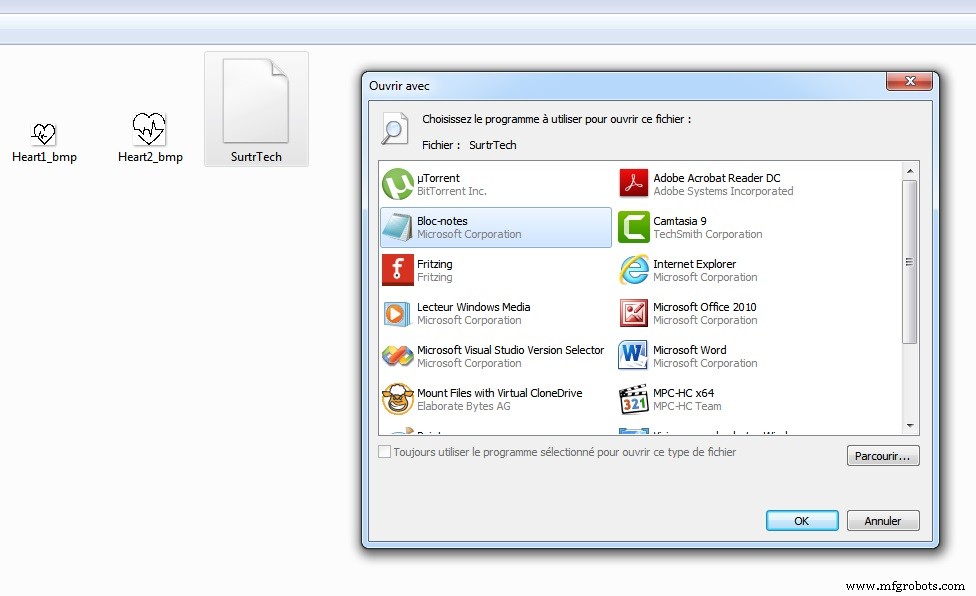
得到位图数组:
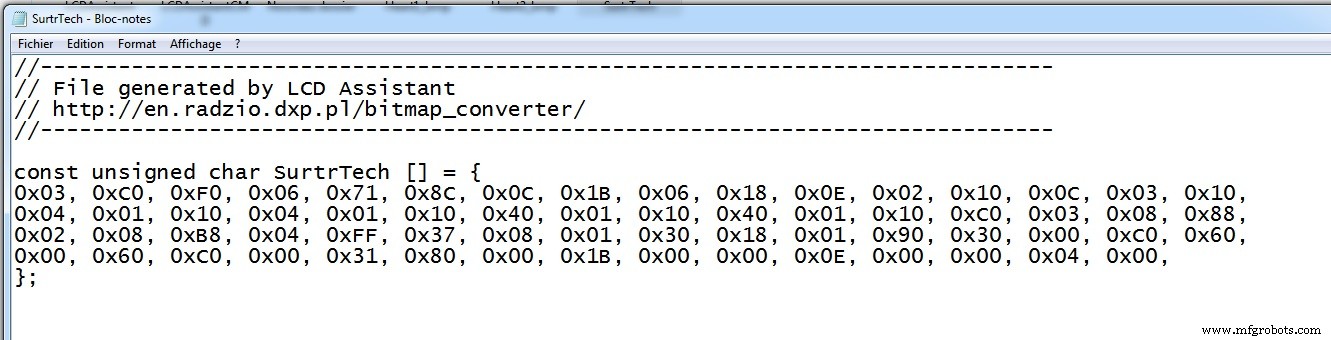
代码中调用方式:
display.drawBitmap(5, 5, logo2_bmp, 24, 21, WHITE);参数含义:
display.drawBitmap(起始 x, 起始 y, 位图名, 宽, 高, 颜色);代码中:检测到手指调用小心脏,检测到心跳调用大心脏。发挥创意自制图案吧。
代码
- MAX_BPM_OLED_Buzzer.ino
MAX_BPM_OLED_Buzzer.ino Arduino
基于 SparkFun MAX3010x 库修改
/* This code works with MAX30102 + 128x32 OLED i2c + Buzzer and Arduino UNO
 * It displays the Average BPM on the screen, with an animation and a buzzer sound
 * everytime a heart pulse is detected
 * It's a modified version of the HeartRate library example
 * Refer to www.surtrtech.com for more details or SurtrTech YouTube channel */
#include <Adafruit_GFX.h> // OLED libraries
#include <Adafruit_SSD1306.h>
#include <Wire.h>
#include "MAX30105.h" // MAX3010x library
#include "heartRate.h" // Heart rate calculating algorithm

MAX30105 particleSensor;
const byte RATE_SIZE = 4; // Increase this for more averaging. 4 is good.
byte rates[RATE_SIZE]; // Array of heart rates
byte rateSpot = 0;
long lastBeat = 0; // Time at which the last beat occurred
float beatsPerMinute;
int beatAvg;

#define SCREEN_WIDTH 128 // OLED display width, in pixels
#define SCREEN_HEIGHT 32 // OLED display height, in pixels
#define OLED_RESET -1 // Reset pin # (or -1 if sharing Arduino reset pin)
Adafruit_SSD1306 display(SCREEN_WIDTH, SCREEN_HEIGHT, &Wire, OLED_RESET); // Declaring the display name (display)

static const unsigned char PROGMEM logo2_bmp[] = {
  0x03, 0xC0, 0xF0, 0x06, 0x71, 0x8C, 0x0C, 0x1B, 0x06, 0x18, 0x0E, 0x02, 0x10, 0x0C, 0x03, 0x10,
  0x04, 0x01, 0x10, 0x04, 0x01, 0x10, 0x40, 0x01, 0x10, 0x40, 0x01, 0x10, 0xC0, 0x03, 0x08, 0x88,
  0x02, 0x08, 0xB8, 0x04, 0xFF, 0x37, 0x08, 0x01, 0x30, 0x18, 0x01, 0x90, 0x30, 0x00, 0xC0, 0x60,
  0x00, 0x60, 0xC0, 0x00, 0x31, 0x80, 0x00, 0x1B, 0x00, 0x00, 0x0E, 0x00, 0x00, 0x04, 0x00,
};

static const unsigned char PROGMEM logo3_bmp[] = {
  0x01, 0xF0, 0x0F, 0x80, 0x06, 0x1C, 0x38, 0x60, 0x18, 0x06, 0x60, 0x18, 0x10, 0x01, 0x80, 0x08,
  0x20, 0x01, 0x80, 0x04, 0x40, 0x00, 0x00, 0x02, 0x40, 0x00, 0x00, 0x02, 0xC0, 0x00, 0x08, 0x03,
  0x80, 0x00, 0x08, 0x01, 0x80, 0x00, 0x18, 0x01, 0x80, 0x00, 0x1C, 0x01, 0x80, 0x00, 0x14, 0x00,
  0x80, 0x00, 0x14, 0x00, 0x80, 0x00, 0x14, 0x00, 0x40, 0x10, 0x12, 0x00, 0x40, 0x10, 0x12, 0x00,
  0x7E, 0x1F, 0x23, 0xFE, 0x03, 0x31, 0xA0, 0x04, 0x01, 0xA0, 0xA0, 0x0C, 0x00, 0xA0, 0xA0, 0x08,
  0x00, 0x60, 0xE0, 0x10, 0x00, 0x20, 0x60, 0x20, 0x06, 0x00, 0x40, 0x60, 0x03, 0x00, 0x40, 0xC0,
  0x01, 0x80, 0x01, 0x80, 0x00, 0xC0, 0x03, 0x00, 0x00, 0x60, 0x06, 0x00, 0x00, 0x30, 0x0C, 0x00,
  0x00, 0x08, 0x10, 0x00, 0x00, 0x06, 0x60, 0x00, 0x00, 0x03, 0xC0, 0x00, 0x00, 0x01, 0x80, 0x00
};

void setup() {
  display.begin(SSD1306_SWITCHCAPVCC, 0x3C); // Start the OLED display
  display.display();
  delay(3000);
  // Initialize sensor
  particleSensor.begin(Wire, I2C_SPEED_FAST); // Use default I2C port, 400kHz speed
  particleSensor.setup(); // Configure sensor with default settings
  particleSensor.setPulseAmplitudeRed(0x0A); // Turn Red LED to low to indicate sensor is running
}

void loop() {
  long irValue = particleSensor.getIR(); // Reading the IR value to know if finger is on sensor
  // Also detecting a heartbeat
  if(irValue > 7000){ // If finger detected
    display.clearDisplay();
    display.drawBitmap(5, 5, logo2_bmp, 24, 21, WHITE); // Draw small heart
    display.setTextSize(2);
    display.setTextColor(WHITE);
    display.setCursor(50,0);
    display.println("BPM");
    display.setCursor(50,18);
    display.println(beatAvg);
    display.display();
    if (checkForBeat(irValue) == true) { // If heart beat detected
      display.clearDisplay();
      display.drawBitmap(0, 0, logo3_bmp, 32, 32, WHITE); // Draw big heart
      display.setTextSize(2);
      display.setTextColor(WHITE);
      display.setCursor(50,0);
      display.println("BPM");
      display.setCursor(50,18);
      display.println(beatAvg);
      display.display();
      tone(3,1000); // Buzzer beep 100ms
      delay(100);
      noTone(3); // Stop buzzer for "bip" effect
      // We sensed a beat!
      long delta = millis() - lastBeat;
      lastBeat = millis();
      beatsPerMinute = 60 / (delta / 1000.0); // Calculate BPM
      if (beatsPerMinute < 255 && beatsPerMinute > 20) {
        rates[rateSpot++] = (byte)beatsPerMinute;
        rateSpot %= RATE_SIZE;
        // Average
        beatAvg = 0;
        for (byte x = 0 ; x < RATE_SIZE ; x++)
          beatAvg += rates[x];
        beatAvg /= RATE_SIZE;
      }
    }
  }
  if (irValue < 7000){ // No finger
    beatAvg = 0;
    display.clearDisplay();
    display.setTextSize(1);
    display.setTextColor(WHITE);
    display.setCursor(30,5);
    display.println("Please Place ");
    display.setCursor(30,15);
    display.println("your finger ");
    display.display();
    noTone(3);
  }
}
依赖库
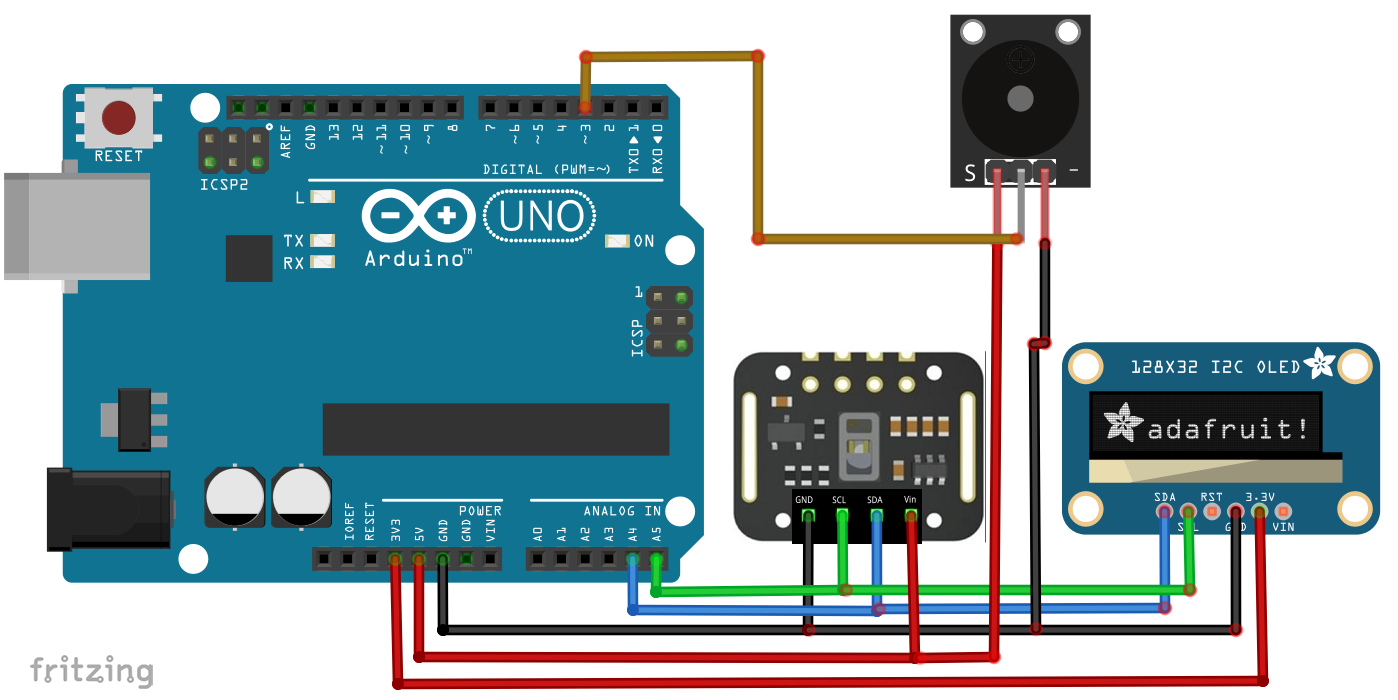
原理图
两模块均为 I²C 接口。若用两脚蜂鸣器(负极接 GND,正极串电阻接 D3)
制造工艺
- 集成二维码、RFID与体温验证的门禁控制系统
- 树莓派多路DS18B20 1-Wire温度监测:接线与编程全指南
- 树莓派自动化气雾栽培系统:湿度传感器智能控制
- 远程心率监测系统:AWS IoT 告警 + 树莓派 Windows IoT 可视化
- 树莓派与Python构建机器人:完整指南
- Portenta H7 对接 MAX6675 热电偶温度传感器教程
- Arduino Nano 与 MPU-6050 构建实时陀螺仪游戏
- 基于 Arduino 与 MAX30100 的实时物联网心率监测系统
- 用光敏电阻和 Arduino 制作精准心率监测仪
- 铜电镀智能系统:基于 Arduino UNO 的可控电解装置
- Arduino Nano 手持盖革计数器:DIY 核辐射检测仪
- 借助Visual Components、Matterport与ProFeeder X自动化最大化车间空间